Sender addresses and aliases
Dearmailo automatically retrieves sender addresses and aliases from Apple Mail, ready to assign across the campaign.
 Dearmailo
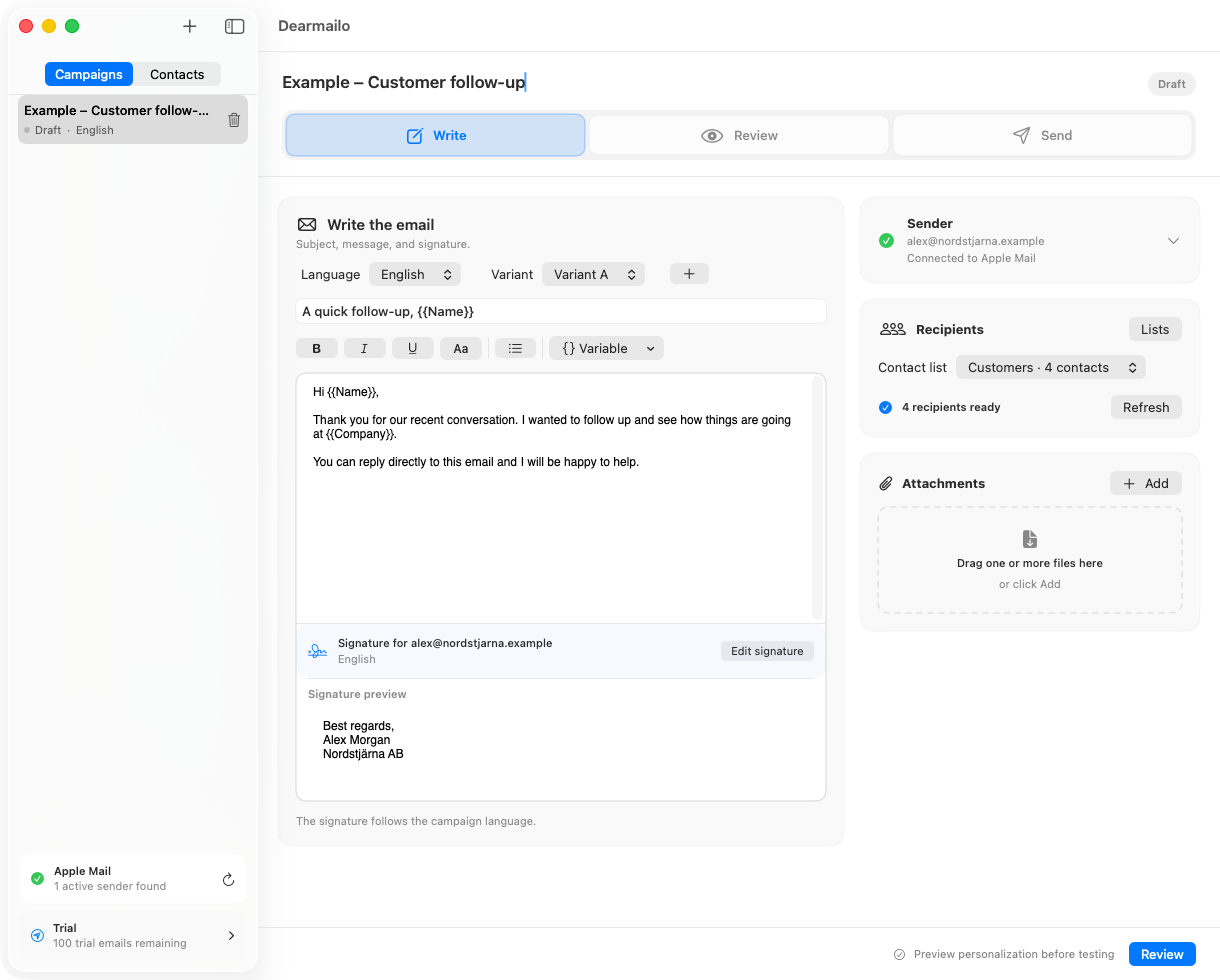
Mail merge for Apple Mail — without Outlook.
Import XLSX, CSV, TSV, or TXT contacts, personalize the message in Dearmailo, review every result, and send each email separately through Apple Mail.
macOS 15+ · For organizations and professionals in the EU and US.
 Select the image to enlarge
Built for Apple Mail.
Designed for control.
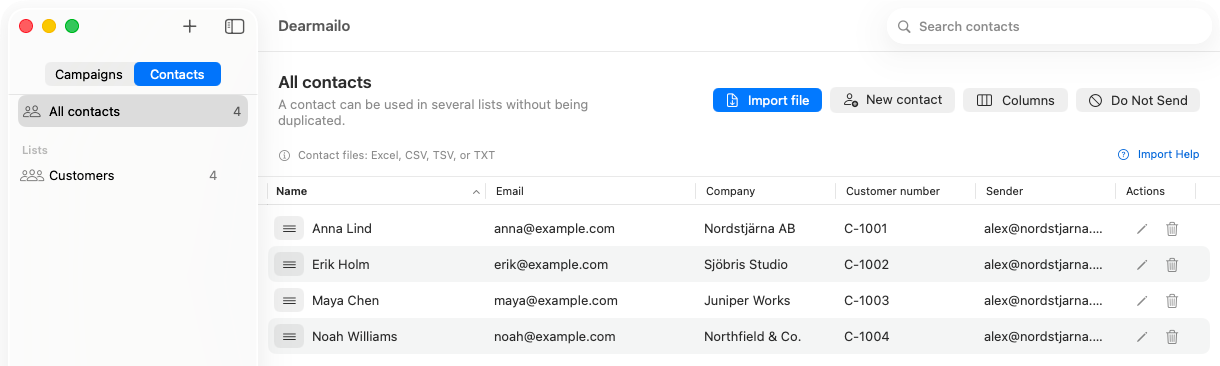
Bring in an XLSX, CSV, TSV, or TXT contact list. Match the columns and review duplicates before you begin.
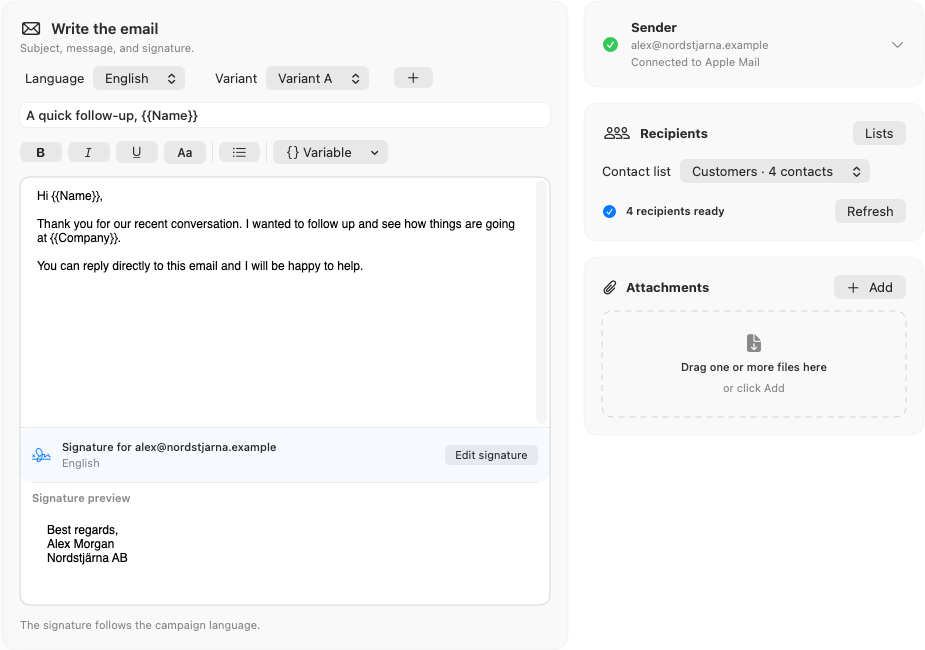
Write your email in Dearmailo. Add contact variables, message variations and a signature for each sender and language.
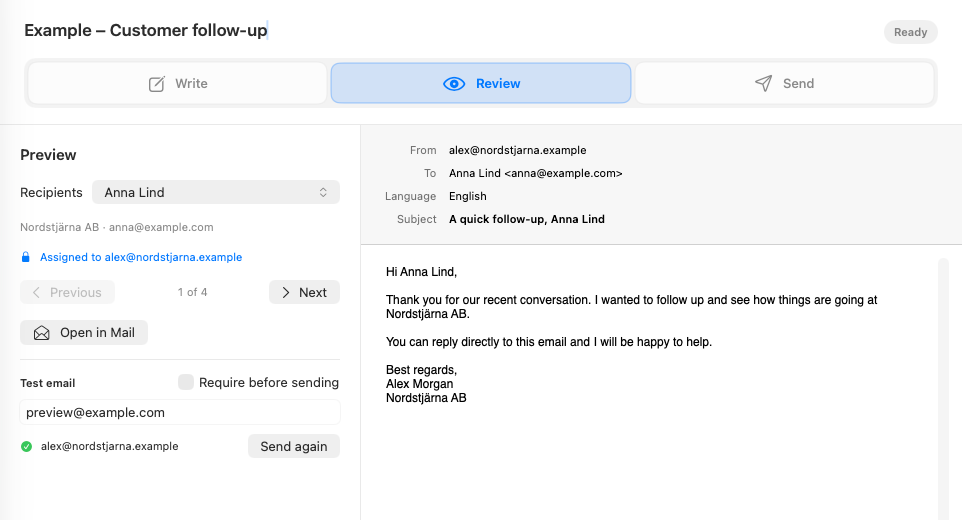
Check the finished message for each recipient and send yourself a test. Dearmailo sends separate emails through Apple Mail.
Built around your Mac
Campaigns, contacts, signatures, and attachments are stored locally on your Mac. Dearmailo has no delivery server, does not track opens, and does not upload your mailing list.
Read our privacy policyThe useful details
Dearmailo automatically retrieves sender addresses and aliases from Apple Mail, ready to assign across the campaign.
Create a signature in Dearmailo for each sender and language. Copy one from Apple Mail or write a new version.
Vary the pause between messages, add longer breaks, and set clear per-sender limits.
Choose a date, time, and time zone. The Mac must remain awake with Dearmailo and Mail open and undisturbed.
Before you begin
*Used only to create, format, and confirm the visible message in Apple Mail. Dearmailo never receives your Mail password.
Simple pricing
Free trial
No time limit. Drafts, test messages, and failed sends do not use the allowance.
Annual license
One person, up to three Macs they own or control, unlimited campaigns, updates and support while the license is active.
Organizations and professionals in the EU and United States can purchase a license.

Long Lasting Apps is an independent Swedish app studio. We create thoughtful apps for Apple platforms with a clear focus, respect for your privacy, and quality that lasts.
Explore Long Lasting Apps