Advanced features

More control. Still personal.

Manage senders, languages, contact data, timing, and review in one focused Apple Mail workflow.
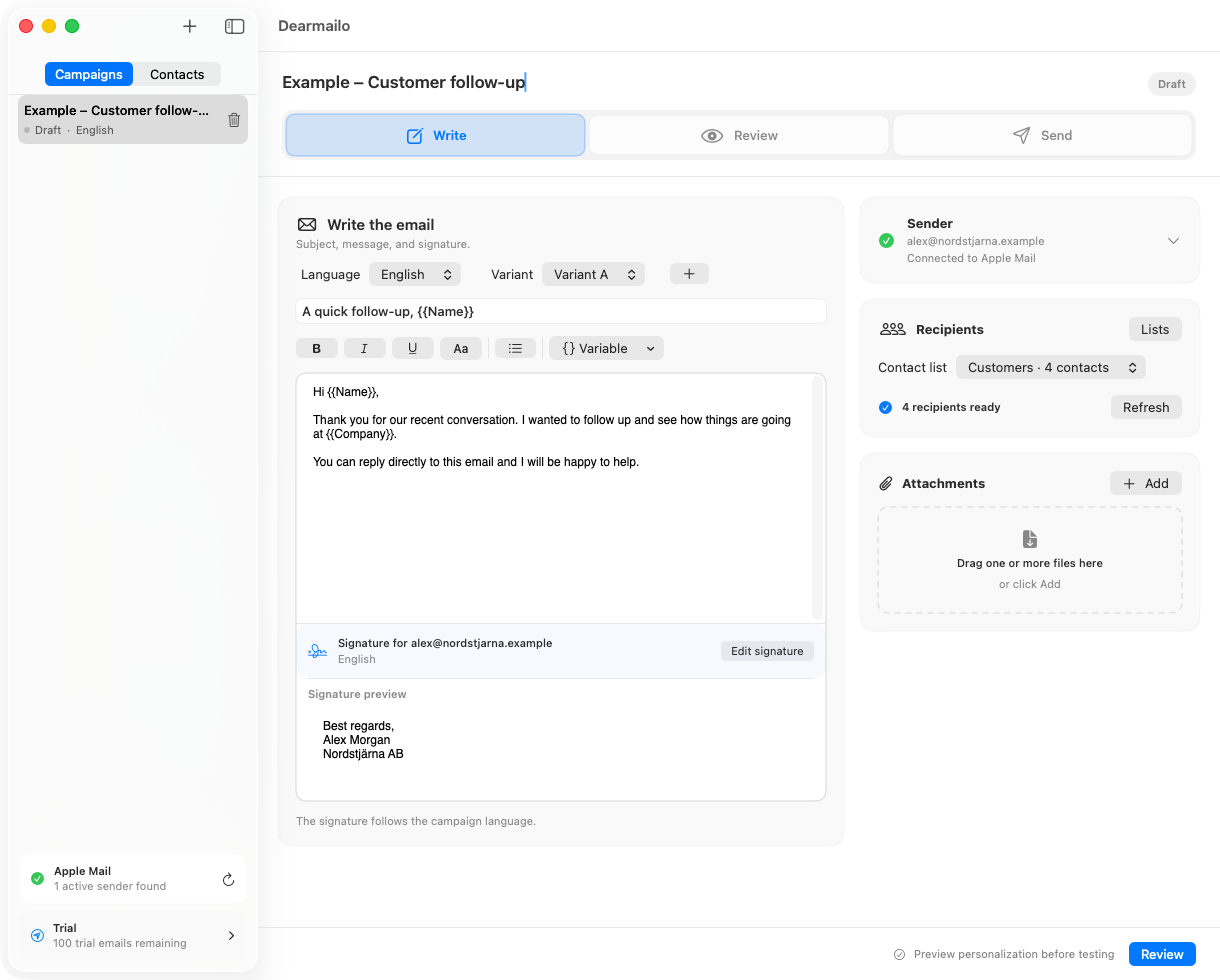
Dearmailo's Write workspace with a sample campaign, language, message variant, variables, and matching sender signature

Control the details that change a campaign.

Dearmailo structures the repetitive work while every sender, language, recipient, and final message remains visible.

Write once. Adapt without duplicating work.

Language, message variants, variables, and the matching signature stay together in the same campaign workspace.
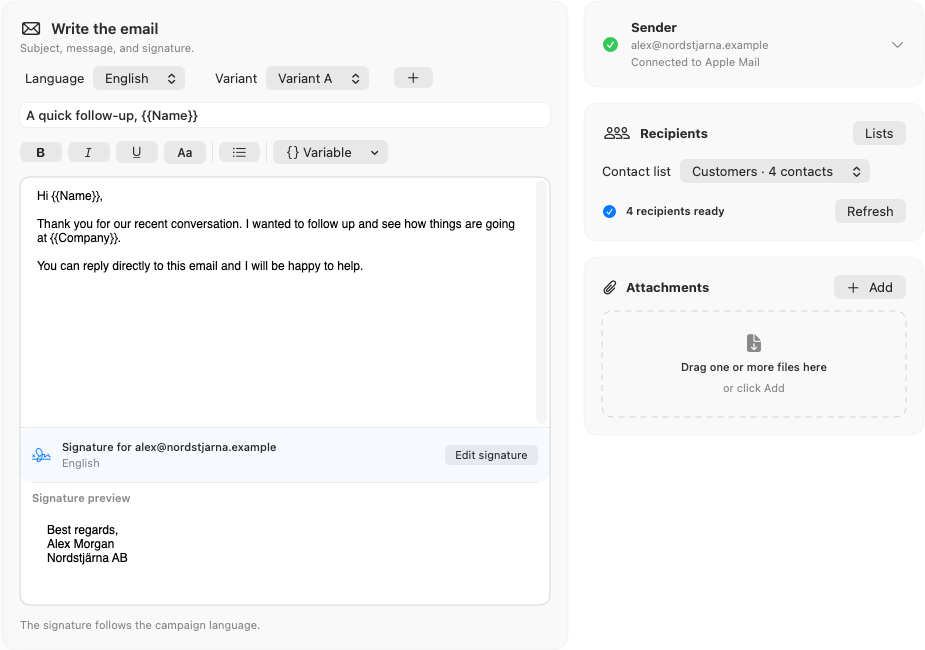
Close view of Dearmailo's language and message variant selectors, personalization variables, email body, and sender-specific English signature
The selected campaign language chooses the matching signature for every active sender.

Message variations

Create several subjects and message bodies. Dearmailo distributes the variants across the campaign.

Personal variables

Use names, company details, customer numbers, titles, and retained custom fields in the subject or body.

Sender-specific signatures

Each sender can keep a different rich-text signature for every language you use.

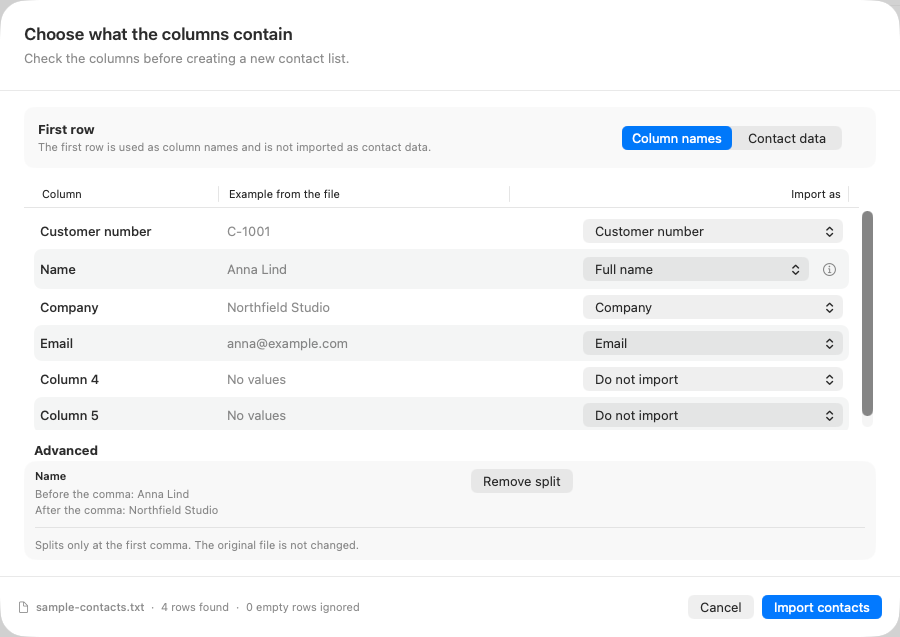
Dearmailo's Match columns window showing a combined contact field split into Name and Company, mapped fields, and an import preview
Preview mappings and split combined text before Dearmailo creates the contact list.

Turn source files into usable contact data.

Preview the rows, confirm the mappings, and keep the information your campaign actually needs.

Meet the file where it is

Dearmailo reads XLSX, CSV, TSV, and TXT, including common delimiters and text encodings.

Choose the structure

Map email, name, company, customer number, and sender. Keep remaining columns as custom fields.

Separate combined text

Split a selected column at its first comma into Name and Company without changing the original file.

Resolve problems before sending

Invalid addresses, safe duplicates, and conflicting duplicates are identified for review.

Your pace. Your time zone.

Set a careful delivery rhythm, then start now or schedule the campaign for another local time.
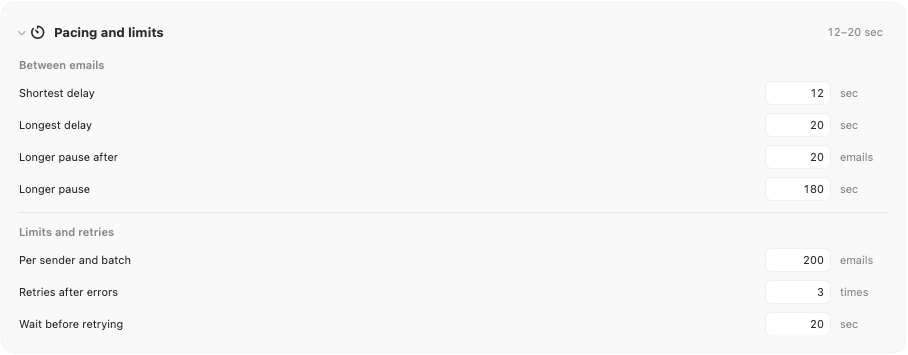
Natural spacing between messages

Choose a minimum and maximum pause. Dearmailo varies the wait inside that range for each message.

Longer breaks

Add a longer pause after a chosen number of emails.

Limits and retries

Set per-sender run limits, retry count, and retry delay.

Schedule across time zones

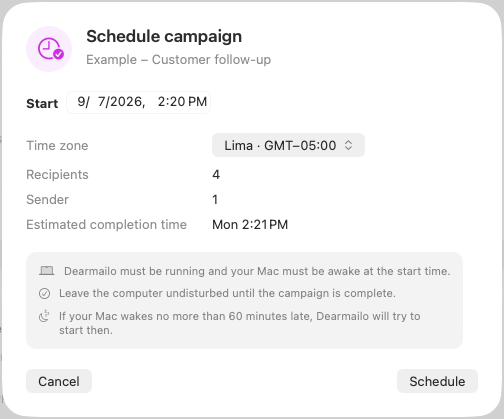
Choose a date, time, and named time zone. Dearmailo estimates when the run should finish.

The Mac must remain awake with Dearmailo and Apple Mail open.

Dearmailo's Schedule campaign window with a start time, Lima time zone, recipient and sender counts, estimated completion time, and Mac awake guidance
The schedule confirms the named time zone and expected completion time before the campaign starts.

Know exactly what will be sent.

Review uses the same delivery plan as Send, so sender assignments and message variants do not change after approval.
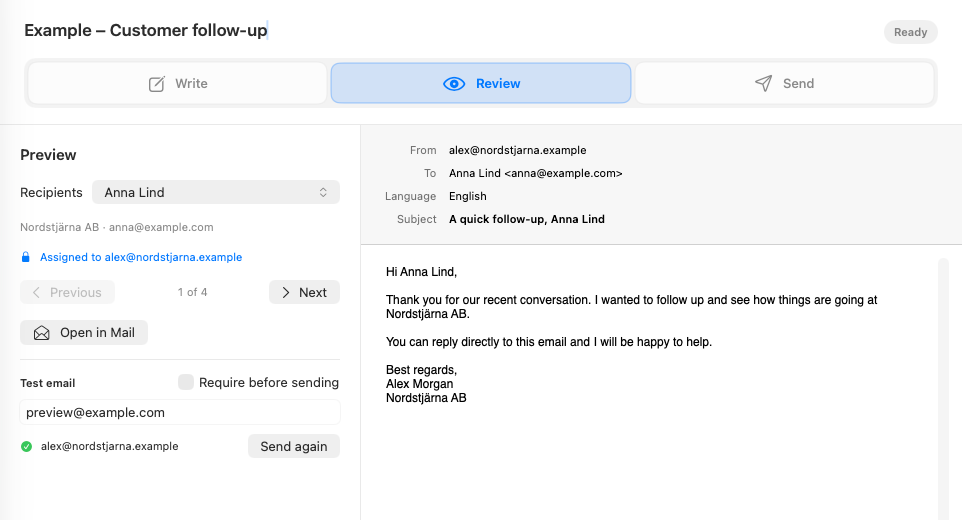
  • Inspect the resolved sender, subject, body, language, and signature for each recipient.
  • Send or require a current test email from every selected sender.
  • Review SPF, DMARC, volume, and suppression-list checks before the run.
  • Export the delivery log with recipient, sender, variant, subject, and status.
Dearmailo's Review view showing the finished sender, recipient, subject, message, signature, and test controls
Move between recipients and inspect the finished message, not only the template.

Choose the right method

Personal outreach or a campaign platform?

They solve different jobs. Dearmailo is for selected contacts where the message should read and reply like ordinary email. Campaign platforms are built for reach, automation, and analytics.

Consideration Dearmailo + Apple Mail Campaign platform

Delivery path

Separate messages through an existing sender in Apple Mail.

Bulk or automated delivery through the platform's infrastructure.

Recipient experience

A direct email with a real sender and reply path, personalized for each contact.

Branded campaigns, newsletters, and automated customer journeys.

Data and tracking

Contacts stay local. No open or click tracking.

Cloud audiences, segmentation, reports, and optional open and click tracking.

Best suited to

Selected known contacts, relationship-led follow-up, and modest volumes.

Large lists, newsletters, recurring marketing, and lifecycle automation.

Inbox treatment

Can feel less like a bulk campaign, but inbox placement is never guaranteed.

Built for compliant bulk delivery. Gmail may categorize promotional content under Promotions.

Advanced features are included from the first send.

The free trial includes every capability on this page. A license removes the limit after 100 confirmed recipient emails.

See pricing

Stored locally

Campaigns, contacts, signatures, and attachments stay on your Mac.

No open tracking

Dearmailo has no cloud contact database and no delivery server.

Questions from experienced senders.

Are these features part of a separate Pro tier?

No. Every feature is included in the 100-email trial. The paid license removes the recipient-send limit.

Can one campaign use several Apple Mail senders?

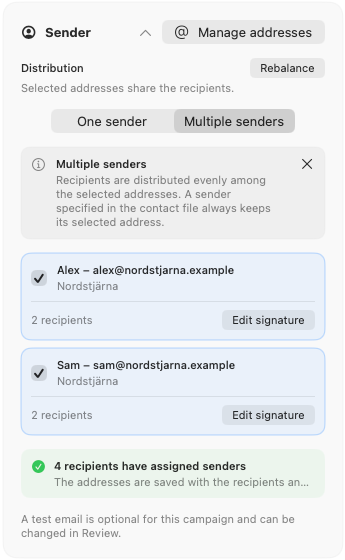
Yes. Use addresses and aliases already available in Apple Mail, then assign, import, or balance sender choices inside the campaign.

Can signatures change by sender and language?

Yes. Dearmailo stores signatures by sender address and language, then selects the matching version for the campaign.

Which contact files can I import?

XLSX, CSV, TSV, and TXT. A valid email column is required; other recognized and custom columns can be mapped during import.

Will a scheduled campaign wake my Mac?

No. The Mac must remain awake with the user signed in and both Dearmailo and Apple Mail open.

Does Dearmailo upload my contact list?

No. Contact and campaign data stays locally on your Mac. Dearmailo does not upload the list or track message opens.

Start with every feature.

Dearmailo is ready. The purchase link will appear here when the third-party store opens.